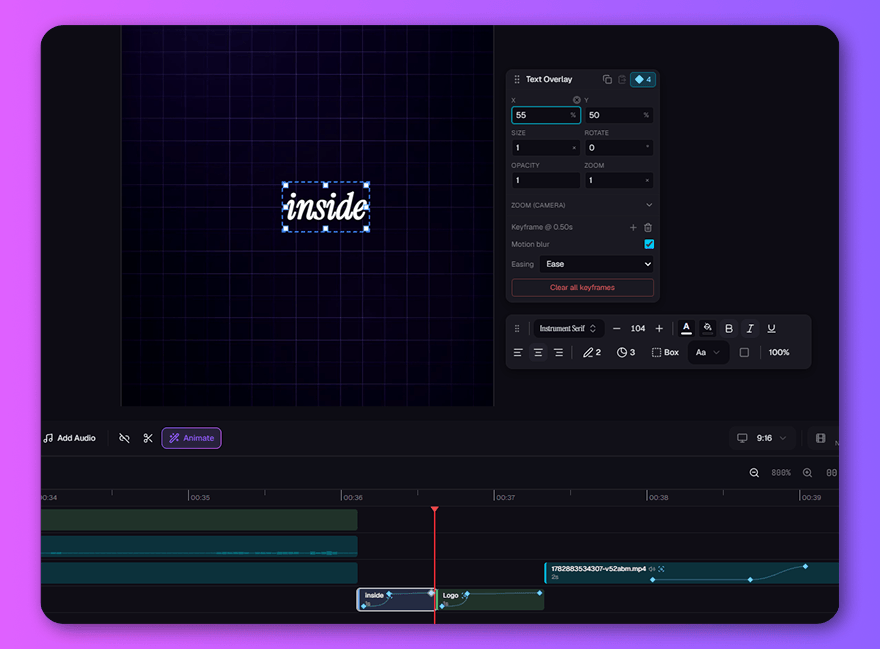
Make it move like you imagined.
That title shouldn't just appear — it should land. Fly your hook in, punch the zoom on the reveal, let motion blur sell the speed. The moves you see in every viral edit, drawn with two keyframes instead of two weekends of tutorials.
- Keyframe anything — position, scale, rotation, camera zoom — with easing curves
- One-click motion blur; what you preview is exactly what exports
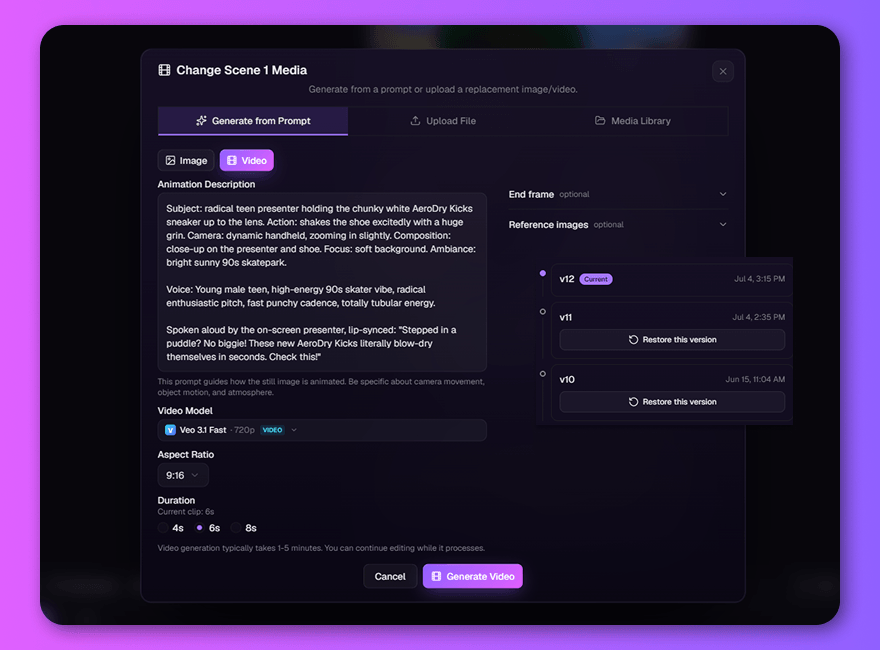
Change your mind for free.
Scene 3 isn't wrong — it's just not it. Regenerate it with a new prompt, compare, keep the winner. Every previous take waits in history, so trying a wild direction never costs you the safe one.
- Regenerate any scene with a new prompt, model, or quality
- Full version history — roll back to any take in one click
Every reflex of a pro editor. Already under your fingers.
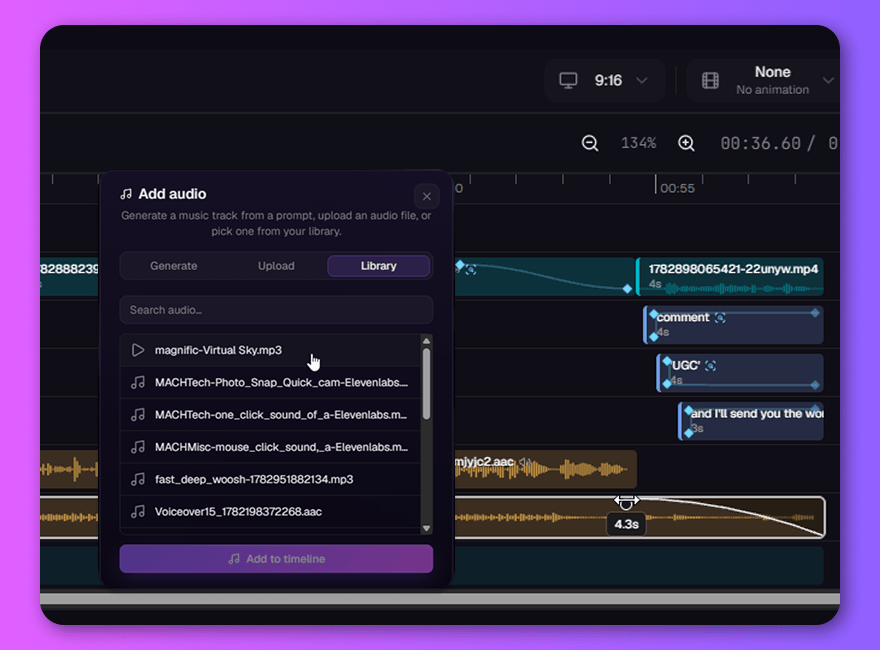
Sound like a production.
The difference between amateur and pro is what happens under the voice. Bed the music, ride the levels, pull a clean fade out under the CTA — or generate a fresh AI track right where it plays.
- Layer music, voiceover, and SFX — fade out with a drag of the arc handle
- Generate AI music on the timeline, exactly where you need it
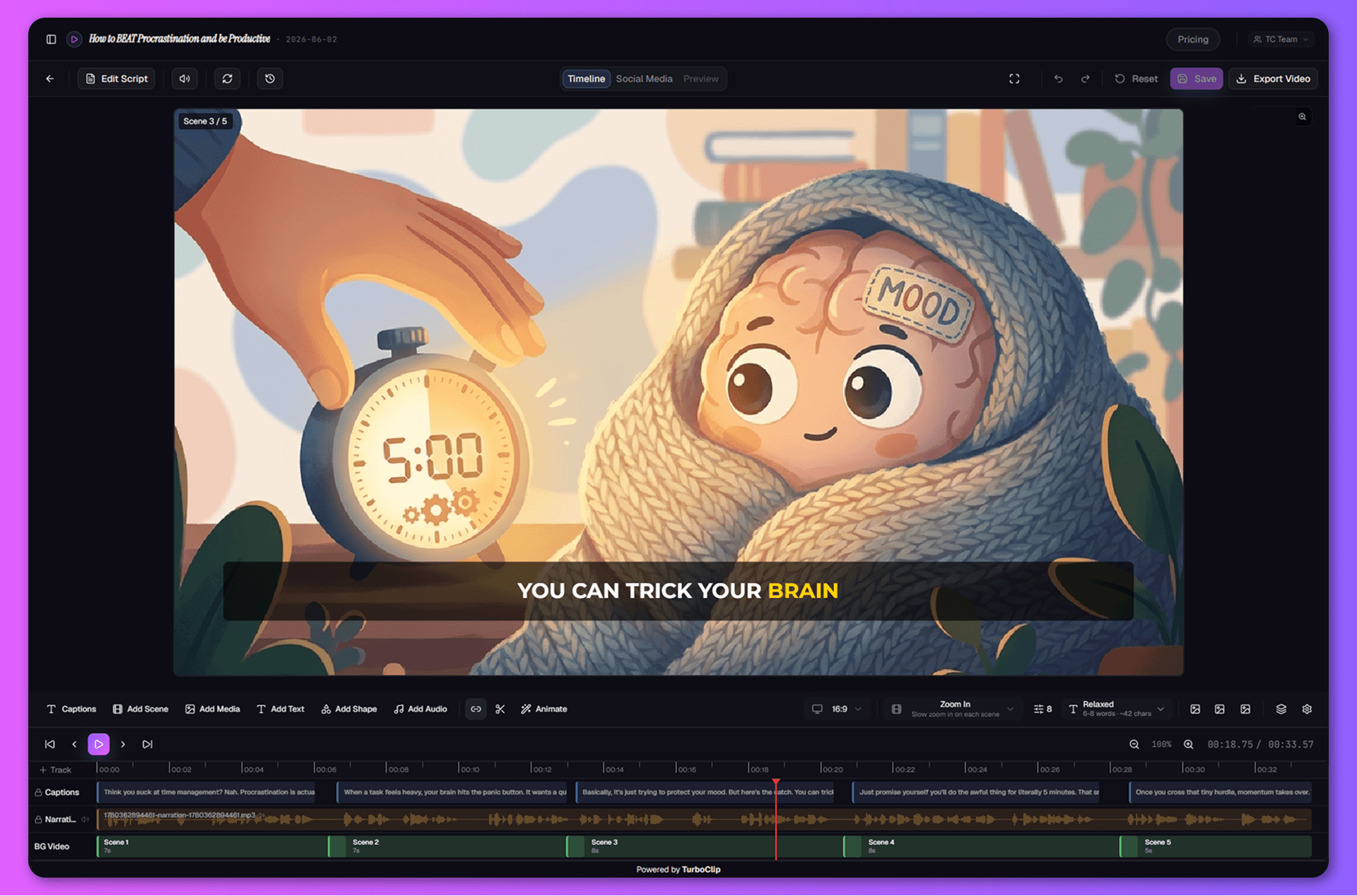
Captions that carry the scroll.
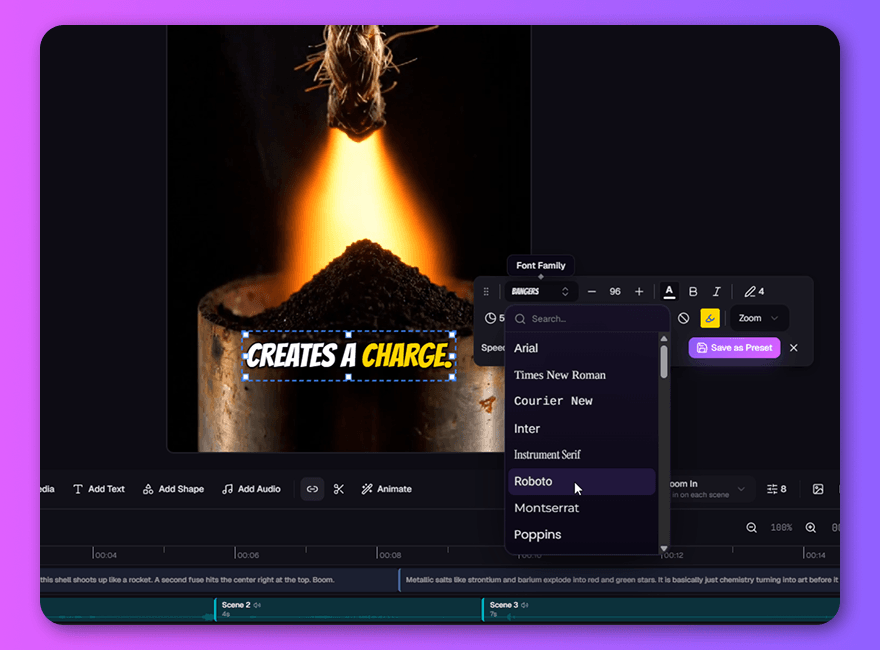
Most of your audience watches on mute — your captions ARE the video. Pick a style that fits the brand, let word-level highlights track the voice, and stay readable at arm's length.
- Ten viral caption styles in one click — or save your own
- Word-level highlights, timed to the narration automatically
Still more in the cutting room.
Room for every idea
B-roll over the hook, a logo riding the whole cut, three text layers cascading in on beat. Stack unlimited tracks — clips snap tight and never overlap by accident.
Still frames, brought to life
One click sends any scene to Kling V3, Google Veo, or Seedance and it comes back alive — same scene, now breathing. The original waits one click away.
Your assets, everywhere
Every upload and every generation lands in your library — and the picker is built into every dialog. Drop in brand assets, b-roll, and music without breaking stride.
Your flow never breaks.
Generate, refine, animate, mix, export — without ever leaving the tab. No downloading clips, no importing into another editor, no losing the thread at 11pm. And the finishing is free: editing and rendering cost nothing — credits are for creating, not fixing.
Ship something you're proud of. Today.
Your first draft is one sentence away — and this time, so is the final cut.