How we made an ad that was never filmed
The exact brief and settings behind our "I'm not real" launch ad — no camera, no studio, no shoot. Hit Recreate to open it in TurboClip, pre-filled, and make your own.
Watch the video below before you read any further. A woman in the middle of a beauty shoot — gold jewellery catching the light, stylists fussing around her — leans into the camera like she's about to let you in on something. Then she does: she was never filmed. No camera, no studio, no model. I've sent this to people who make ads for a living and watched them scrub back through it hunting for the seam. There isn't one to find.
I obsessed over the details on this one, because every one of them is doing a job. She's generated as a single continuous take, so her face, her voice and her outfit never drift between cuts — that's what makes the reveal land as truth instead of a party trick. The dialogue is hers, spoken natively, nothing dubbed over the top. The perfume in her hand is the same bottle in every shot. Premium, intimate, unmistakably UGC — and the whole performance came out of one brief I typed into our own AI Ad Creator.
Now imagine this instead: it's your serum she sets down on that side table. Your hoodie she's wearing when she stands up. Your app on the phone she holds to camera. Swap my white studio for a sunlit kitchen, a boxing gym at 6am, a rooftop at golden hour — whatever world your brand actually lives in. Same photoreal presenter, same seamless take, and it costs a few dollars and a few minutes — not a shoot day and a five-figure invoice. That still feels slightly illegal to type. Below is exactly how I built this one, start to finish — from the reference frame to the finished file.
Step 1 — Prepare your reference image
Every shot in this ad grows from a single opening frame: her face, the gold jewellery, the makeup chair, the white studio. Generate that frame once and her face, jewellery and the set stay locked as Linked Mode chains every next clip from the one before it — no drifting identity between cuts, no jewellery that changes halfway through. It's the frame the whole "one continuous take" illusion is built on.
I made mine with the image prompt below, generated on Nano Banana (3 Pro) at 1K, 9:16 — match the ad's aspect ratio here so the frame drops straight in without an awkward crop.
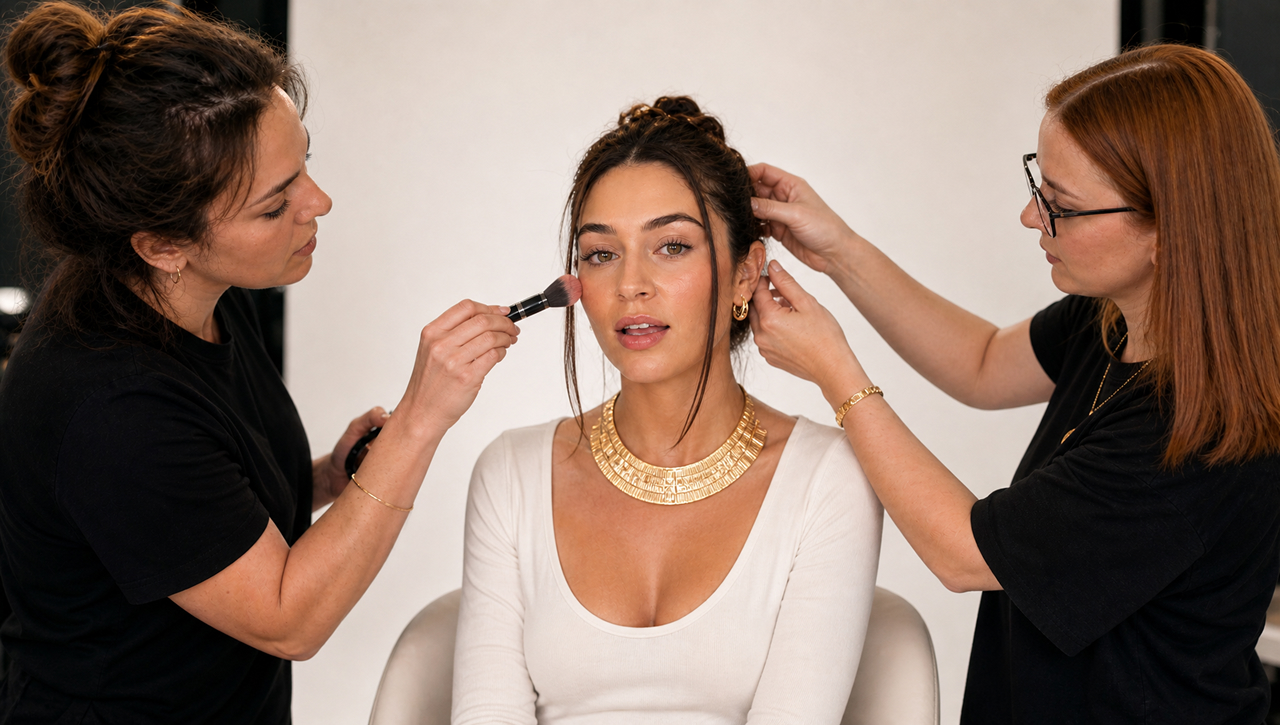
The reference frame the whole ad builds from — Nano Banana (3 Pro), 1K, 9:16.
In the AI Ad Creator, this frame goes under Reference images. Because Linked Mode chains every next clip from the previous one's last frame, this seed is the only frame you ever have to get right — her face, jewellery and the set carry themselves through everything downstream.
Step 2 — Specify your brief
With the reference frame ready, the ad itself comes out of one brief — pasted, word for word, into "Describe your ad." I didn't write shots or timings. I described the concept — the reveal, the walk, the tone — and let the creative director size it up and write the ad.
And the settings I matched:
- Aspect ratio → 9:16 (vertical)
- Video model → Kling V3
- Script → Opus 5.5
- Audio → On (this is what makes her actually speak)
- Linked → On — renders the whole ad as one continuous take (more on this below)
- Length → 46s
- Reference images → the frame from Step 1, plus your own product photo if you want it to appear in her hand
Then hit Create Ad, and it writes the shots, the dialogue and the voice for you. Or skip the setup entirely — the Recreate in TurboClip button above opens the creator with the brief and every one of these settings already dialled in.
Step 3 — Review your shot list
Hitting Create Ad doesn't fire off a black box. You approve the shot list before anything renders — exactly how the ad breaks into shots, and what she says in each — then review every clip as it comes back: regenerate any single shot, rewrite its line, or flip back to an earlier take. Only when it all looks right does it move on.
Step 4 — Finish in timeline
The approved take lands in TurboClip Studio — the same editor the rest of TurboClip is built on. For a continuous-take presenter ad, the finishing touches are small but they matter:
- Captions on every spoken line, because most of the feed watches on mute.
- A beat retime — trim any dead air before the hook so it hits instantly.
- An on-screen CTA — reinforce the comment-to-unlock line as text over the sign-off.
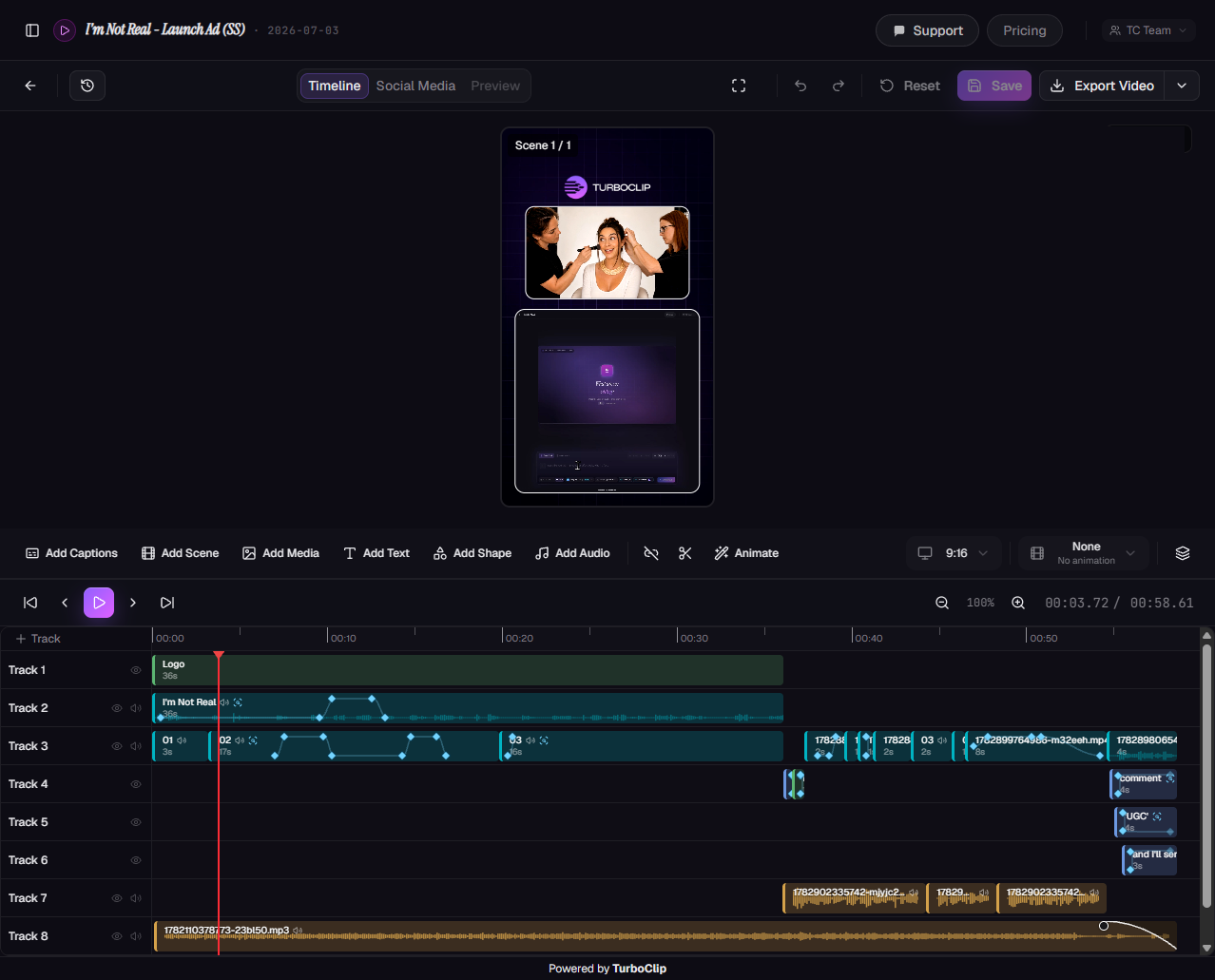
This is the actual timeline behind this ad — bordered video, videos-in-video, effects, keyframe animation, SFX and music, all stacked across many tracks.
Now, full disclosure: the timeline above is busier than a UGC ad has any business being. This is the ad we made to advertise TurboClip itself, so I leaned in — bordered video, a video-in-video, effects, a background video layer, keyframe animations, sound effects and music, layered across a stack of tracks. A normal UGC or AI ad needs almost none of that; captions and a title get you a post-ready clip. I built it this heavy on purpose, to show just how far the editor goes when you want it to — the same timeline that finishes a simple review can also carry a fully composited spot.
Then export at 1080p, ready to upload. No downloading clips into another editor, no round-trip — reference frame to finished file in one place.
Make it yours
The concept travels to any product. Change three things and it becomes your ad:
- The character — who's talking to camera (Step 1).
- The product — swap the perfume for yours (drop a product photo into Reference images alongside your seed frame).
- The reveal + CTA — the "I'm not real" beat and the closing line.
Everything else — the shots, the timing, the voice — the creator writes for you. Hit Recreate below and start from mine.
I can't wait to see what you make with this. Tag us when you post it — I watch every single one.

Graham O'Neale
Founder & CEO